There are software updates that pass without much fanfare, and there are those worth examining line by line. The latest package of innovations for the Android Enterprise platform definitely belongs to the latter group. Instead of focusing on cosmetics, Google has delivered a series of thoughtful and deep features that genuinely change the game in three key areas: management, security, and daily work. Let’s go through the most important ones, without unnecessary marketing fluff.
Part 1: Better Sleep for Administrators
Let’s start with tools that will make life a bit easier for those managing device fleets. Or at least should.
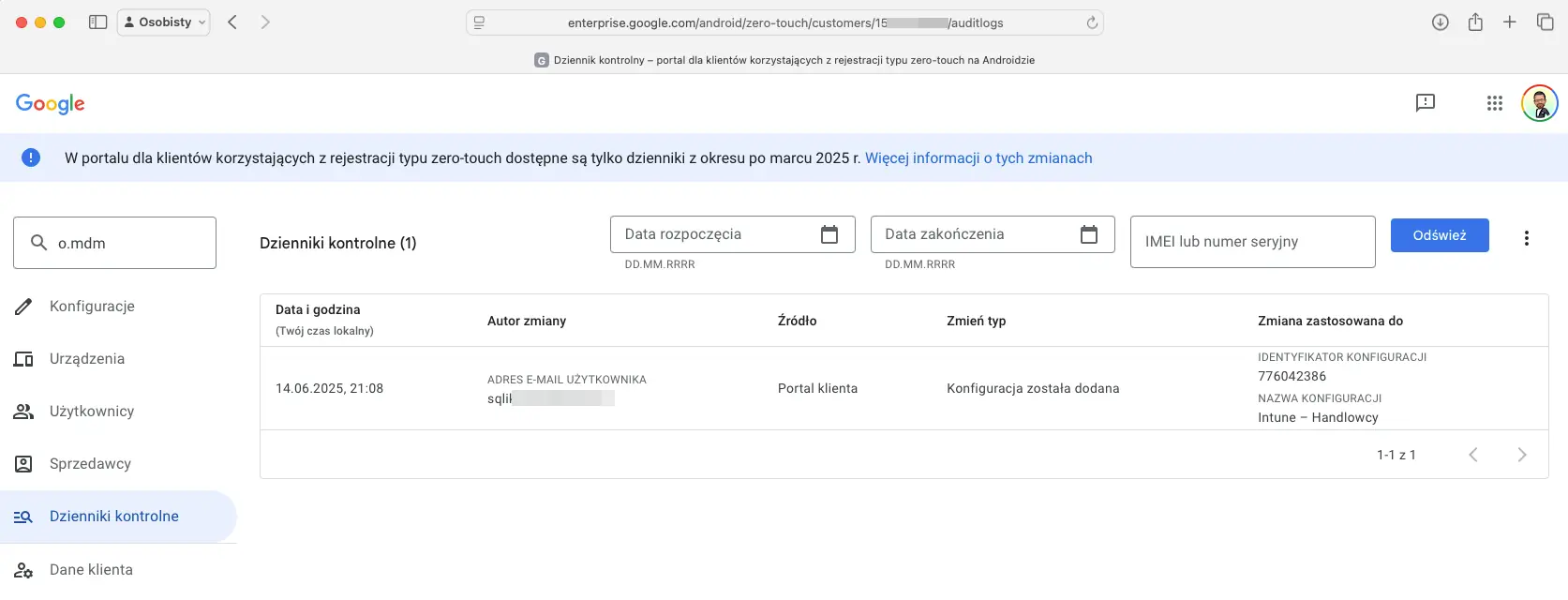
Improvements in the Zero-Touch portal: Deploying devices „straight out of the box” is great, but managing this process has been… mysterious until now. Now two changes are coming that many have been waiting for. First, Audit Logs.
Let’s put this in human terms: This is a dream come true for every admin who has ever had to investigate a configuration that „changed itself.” Now you can see in black and white who clicked what and when. The second gift from fate Google is new, granular administrator roles, allowing you to grant someone permissions, for example, only to add devices, without the ability to change global settings. No more „everyone has the keys to the kingdom” philosophy.
Remote access to EID for eSIM cards: Sounds technical, but it’s genius in its simplicity. No more tedious retyping of 32-digit EID numbers from tiny stickers on boxes, which usually ended with an error at the twenty-seventh character. The administrator will be able to remotely read this number from the console. What does this mean in practice? Mass activation of data plans becomes incomparably faster and less error-prone. A small thing, but it saves hours of frustration.
Support for Android App Bundle (AAB): Until now, MDM systems distributed applications mainly in APK format – like a one-size-fits-all suit. AAB is a „tailor-made” approach. Google Play, receiving an AAB package, delivers to the device only those components it needs.
The conclusion is simple: Smaller and faster installations and updates. On a scale of hundreds of devices and many applications, savings in data transfer and time become noticeable.
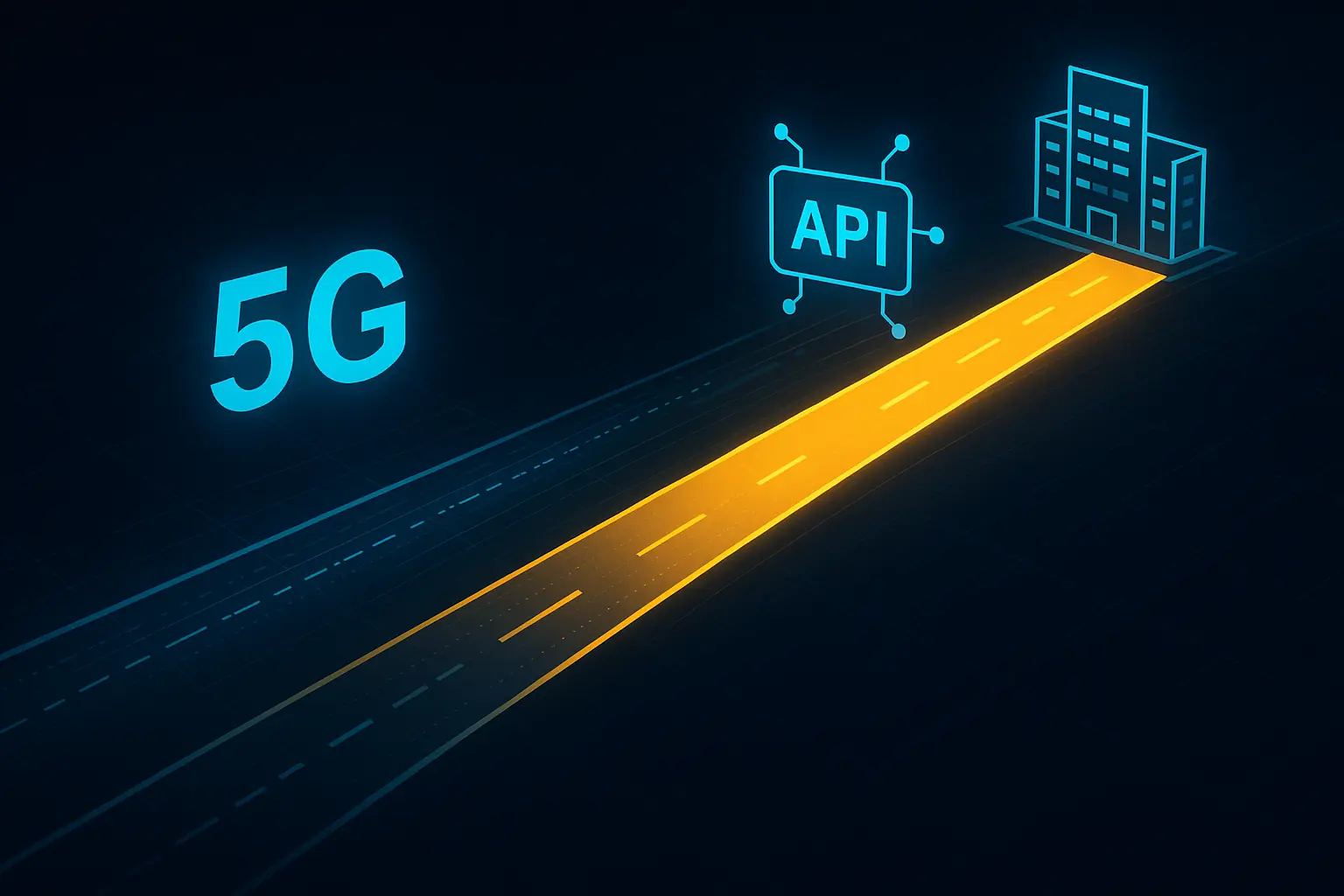
5G network slicing through AMAPI: This is advanced stuff. Let’s imagine a 5G network as a multi-lane highway. „Slicing” is the ability to reserve one lane exclusively for our company cars. Thanks to management through Android Management API (AMAPI), the administrator can define that traffic from critical applications (e.g., board video conferencing) should use this dedicated, guaranteed „VIP lane”.
APN management through AMAPI: For those who like to have full control over every bit and byte, Google is adding a powerful tool – the ability to programmatically override APN (Access Point Name) settings. APN is, in simple terms, the gateway through which a device connects to the internet on a cellular network. What does this give in practice? The administrator, using Android Management API (AMAPI), can force devices to use a custom, corporate APN. This allows, for example, directing all cellular traffic through a secured, corporate tunnel, bypassing the public internet. It’s an ideal solution for creating private networks for IoT devices or ensuring ultra-secure access to internal resources for field workers. This is a tool for the advanced, but with enormous potential.
Part 2: Security and Identity Without Pretense
Data protection is no joke. Google is introducing features that have a real impact on security – from a lost phone to a digital office key.
Lost Mode: A scenario all too familiar. Phone call from an employee: „Boss, I think I left my work phone in… well, I don’t know where.” Instead of panic, the administrator gets a native, system-level toolkit: lock, locate, display a message on the screen „Honest finder, please call…” and turn on an alarm siren that will wake the dead. Simple and devilishly effective.
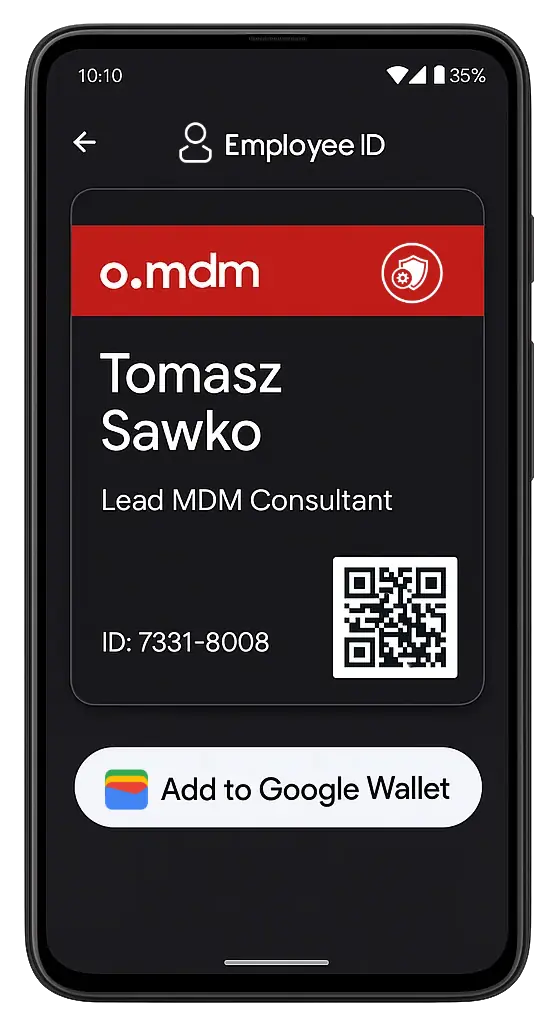
Digital passes in Google Wallet: How many times has an employee forgotten their plastic card and blocked entry to the office? Now a corporate ID can be put into Google Wallet. The phone, which everyone has in hand anyway, becomes a key.
From the company’s perspective: This is the end of ordering, printing, and issuing more pieces of plastic. Less logistics, fewer problems, more convenience.
Passkeys: This is no longer a song of the future. Employees will be able to log into corporate applications and services (downloaded from the managed Play Store) using what they have at hand – fingerprint, face scan, or screen lock PIN. This is not only more convenient but also orders of magnitude more secure than traditional passwords. Phishing becomes practically impossible. Administrators in the MDM console will be able to manage which applications can create and use passkeys.
Private Badges: This is something for true security fans and Zero Trust architecture („Never trust, always verify”). A „private badge” is a digital certificate that securely confirms the user’s identity and the „health” of their device (e.g., whether the system is unmodified, whether security measures are active). Corporate applications can require such a badge before granting access to sensitive data, without revealing any private information about the user.
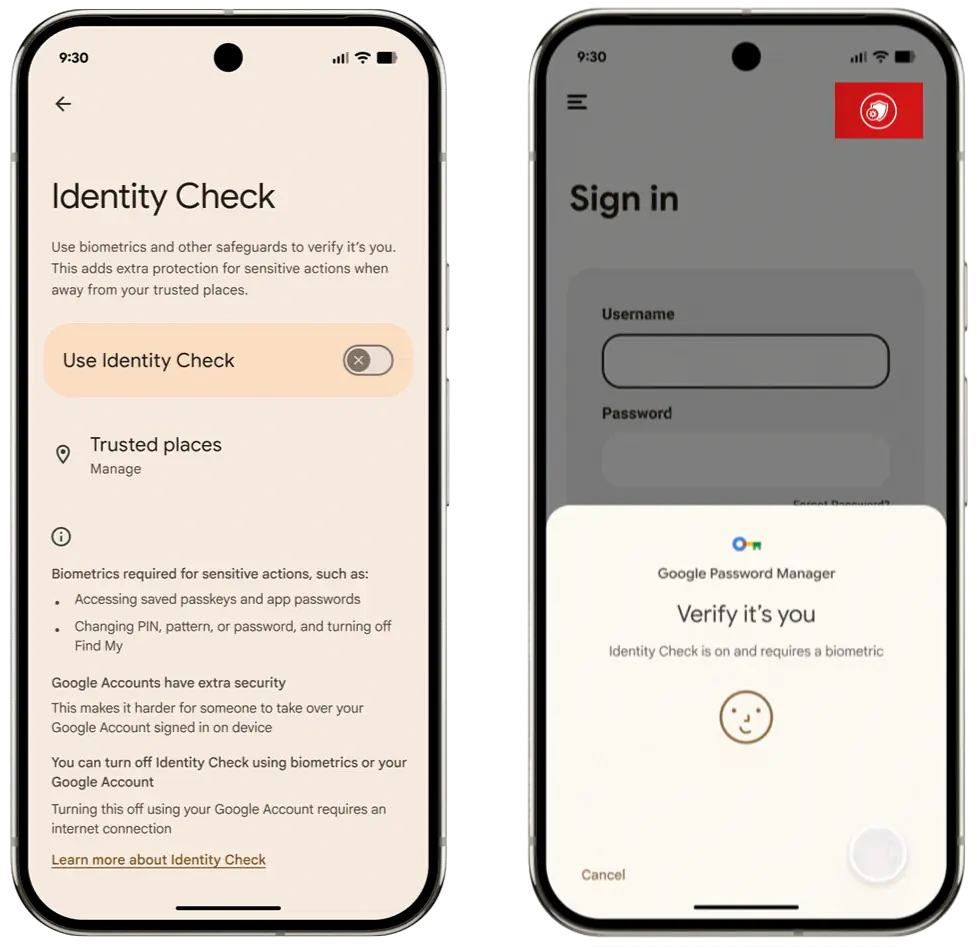
Advanced Protection and Identity Verification: Here Google gives us a fishing rod, not a fish. Advanced Protection is a package protecting against phishing and malware, and Identity Verification requires a fingerprint when accessing data on a public network. However, both features must be enabled by… the user themselves.
And here’s a small hitch: In an ideal world, everyone would enable everything. In the real world, we’re left crossing our fingers and running information campaigns in the company so that employees actually take advantage of these benefits.
Part 3: Productivity That’s Not Just an Advertising Slogan
Finally, the cherry, or rather cherries on the cake, features that make working on an Android device simply more pleasant and efficient.
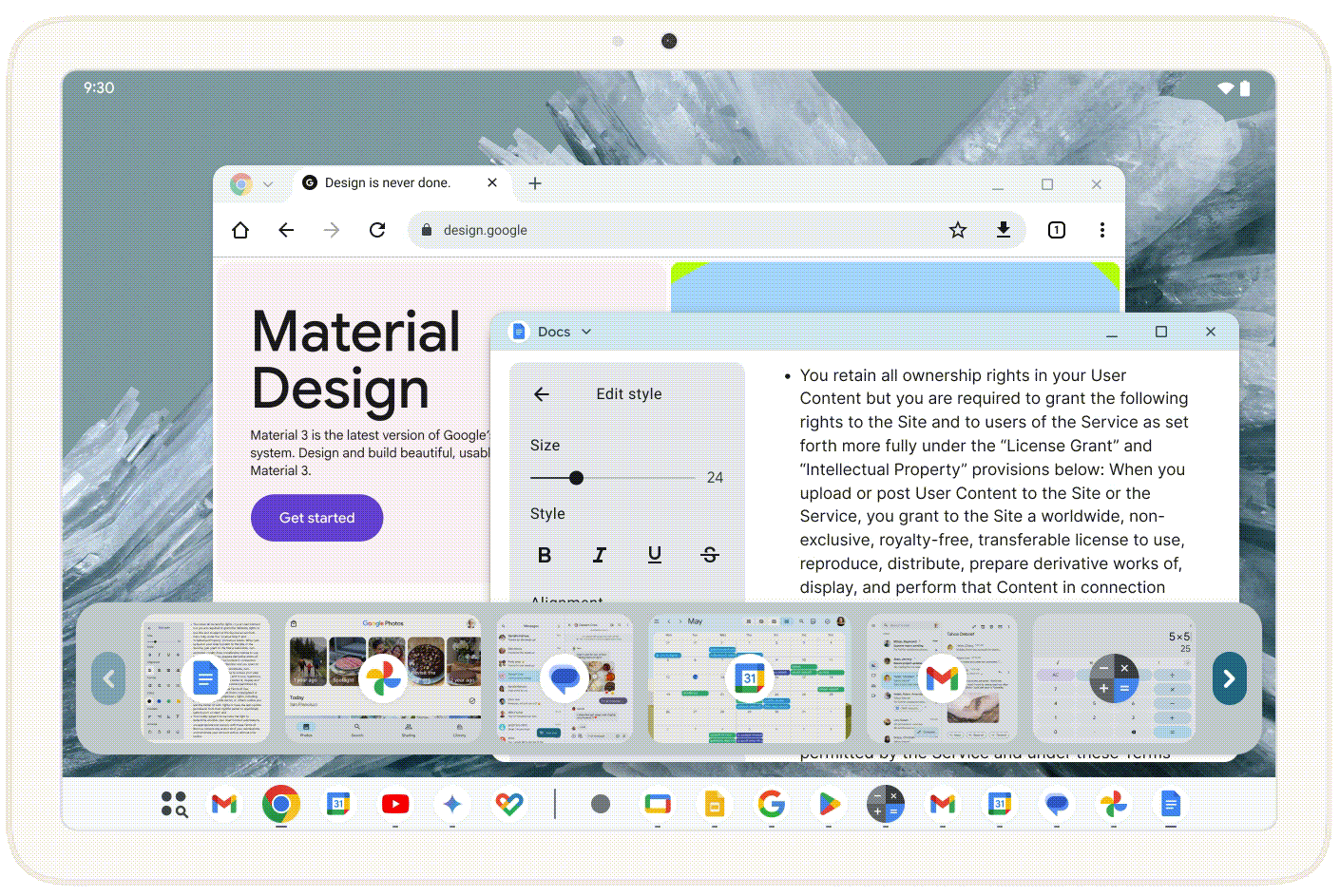
Desktop Windowing on tablets: Hallelujah! An Android tablet can finally spread its wings and start pretending to be a full-fledged laptop. Working in several freely scalable and movable windows is something we’ve been waiting for for years. This genuinely transforms a tablet from a content consumption device into a real work tool. And yes, I realize Samsung has been doing this for a long time. But now we’re getting it natively from Google.
Better PDF support in Chrome: The need to install an additional application just to sign one PDF document? That’s now history. The new PDF viewer built into Chrome will allow filling out forms and adding annotations. A small thing, but it’s nice.
Automatic notification grouping: Enough of the endless stream of alerts. The AI system mechanism, running locally on the device, will start intelligently grouping less important notifications, separating informational „wheat from chaff.” Goal: fewer distractions, more focus.
Custom keyboard shortcuts: A nod to „power users.” People working with a physical keyboard will be able to create their own shortcuts to favorite functions and actions. Something for enthusiasts of optimizing every click.
Artificial Intelligence in the service of productivity. But calm down, no spying! AI is everywhere, so it had to end up here too. Google is introducing intelligent web page summaries in Chrome Enterprise browser. How does it work? Let’s say an employee needs to quickly get through a 20-page industry report. Instead of reading everything, they can ask the browser to generate a short summary with key points. Sounds great, but a red light immediately goes on: „What about data security?”. And here Google pleasantly surprises. The entire summary generation process takes place directly on the device (on-device). The AI model built into the system analyzes text locally, without sending page content to external servers. Administrators can sleep peacefully – no confidential data leaves the corporate smartphone. Of course, if company policy requires it, this feature can be centrally disabled from the MDM console.
This seems to be a smart and responsible approach to implementing AI in a business environment. Instead of forcefully pushing cloud solutions, Google provides a tool that genuinely saves time while putting security first. For now, it’s an „early implementation,” but it shows a fascinating direction. I’m waiting for more such „assistants” built into the system.
In summary, the latest update package is a solid portion of engineering work. You can see that Google is listening to voices from the market and addressing real problems – both for IT administrators and regular users. Android in business has just taken a powerful step forward.
Podając swój adres e-mail wyrażasz zgodę na przetwarzanie Twoich danych przez serwis follow.it. Zapoznaj się z Regulaminem oraz Polityką Prywatności serwisu.
🇵🇱 Przejdź do polskiej wersji tego wpisu / Go to polish version of this post Są aktualizacje oprogramowania, które przechodzą bez większego echa i są takie, którym warto przyjrzeć...
🇵🇱 Przejdź do polskiej wersji tego wpisu / Go to polish version of this post I Tamed Wild Devices on Camera! A long, long time ago, in a studio not so far away… I appeared...












 Follow.it